Bring the 3 to your iFood.
You pay three times for food: the food, the fees, and the difference to the cheapest option. The extension shows all three on every shop, product and bag, and takes you to the item worth buying.
The extension runs in a desktop browser. On a phone you can already send a screenshot of the menu to Claude with the UPAY3FOOD connector: Claude reads the items and UPAY3FOOD does the math per litre and per gram. The link to the item opens straight in the iFood app.
Plug it into Claude or ChatGPT →The extension’s interface is in Portuguese, for Brazilian iFood users.
How to install
- 01Download and unzip
Download the .zip and unzip it into a folder you will keep, for example Documents/upay3food.
upay3food-extension.zip↓ - 02Turn on developer mode
In Chrome, Edge or Brave, open chrome://extensions and flip the switch in the top-right corner.
chrome://extensionsDeveloper mode - 03Load the folder
Click “Load unpacked” and pick the folder that contains manifest.json.
Load unpackedPack extension - 04Open iFood
Pin the icon to the toolbar, go to ifood.com.br and open a shop. No login needed.
ifood.com.br/delivery/…U3
Not on the Chrome Web Store yet, so it installs through developer mode. On a phone, see the mobile plan. Have an agent (Claude, ChatGPT)? Plug UPAY3FOOD into it.
What you see
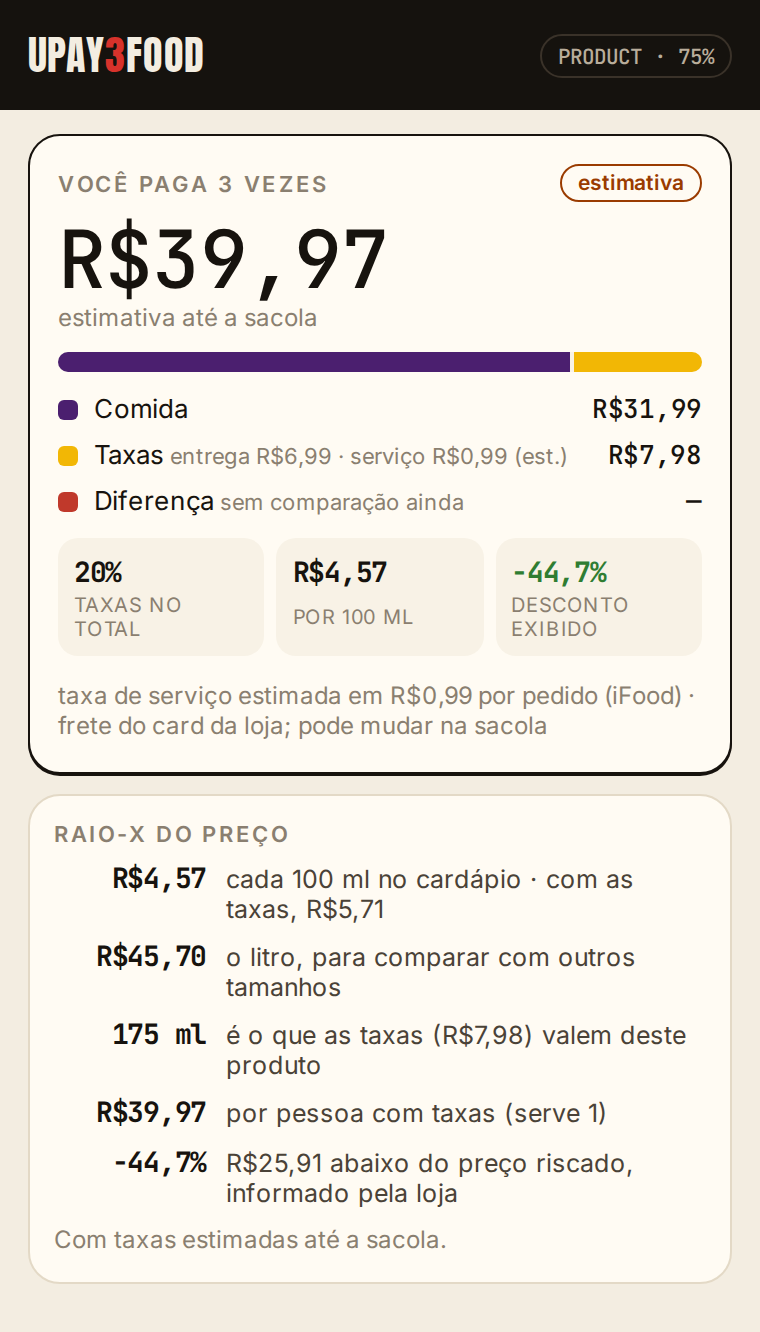
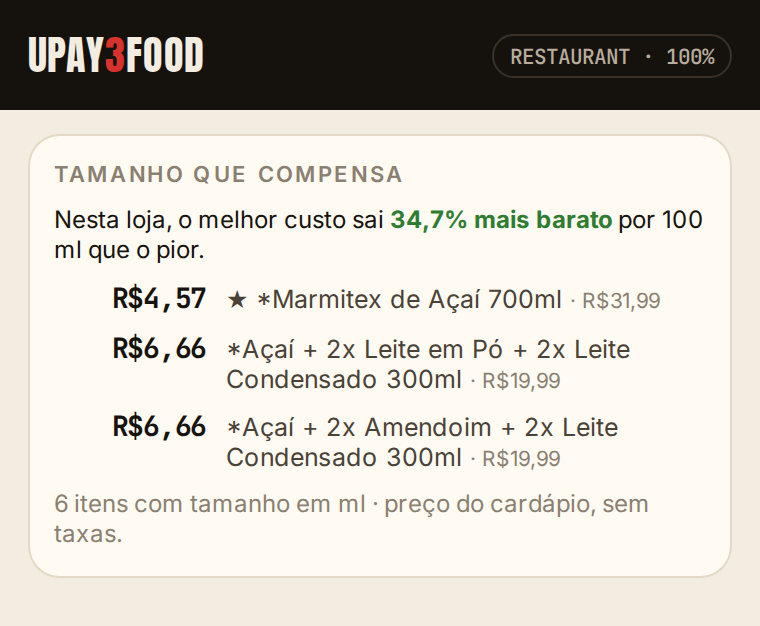
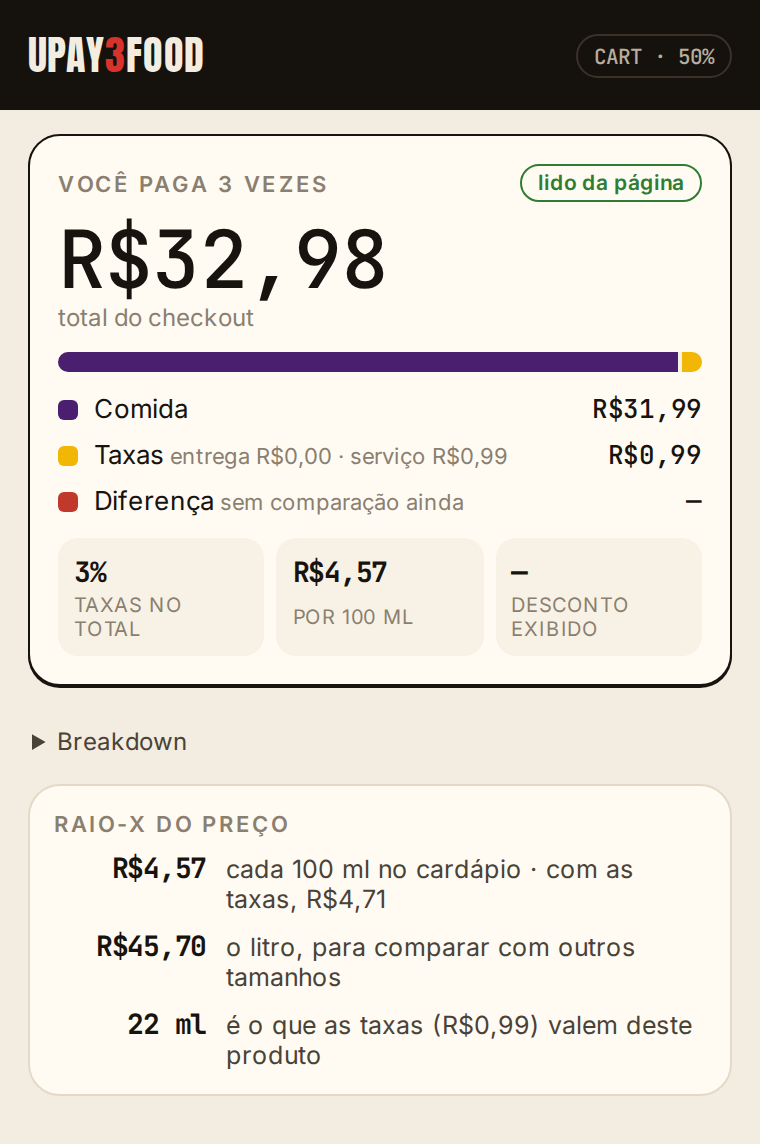
Menu prices are estimates until the bag confirms them. The numbers follow a public methodology.
What it never does
- × Read passwords, cookies, tokens or login data.
- × Click “Fazer pedido” (place order) or pay on its own.
- × Use private APIs or intercept iFood’s network traffic.
- × Send your address, name, phone or CPF.
- ✓ Reads only what is already on your screen, in your session.